The Map Is a Painting
The original Digimon World on PS1 is not really a 3D game. The maps are pre-rendered background images — flat PNGs painted from a fixed camera angle. Characters walk in front of them. No geometry, no lights, no scene to render.
It's the same trick as Final Fantasy VII. The entire "world" is a painting. Characters are puppets in front of it. Rebuilding it in Godot means the same rules apply. The trick is making that feel convincing.
The camera has to be exact
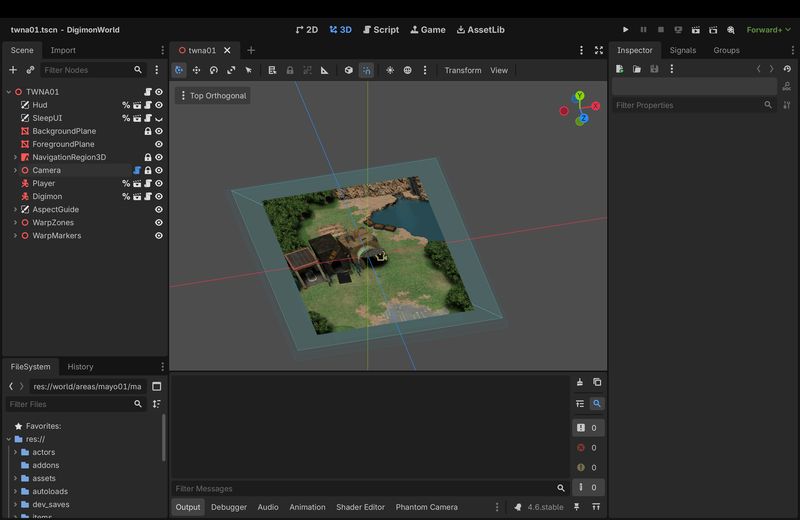
Every map in the PS1 dump ships with a data file that records where the virtual camera was, where it was pointing, and how zoomed in it was.
I wrote a tool that reads this data and configures the Godot camera to match. When it works, the character walks the correct paths and the scale feels right. When it's slightly off, everything looks wrong in a way that's hard to articulate but impossible to ignore.
Getting there took longer than I expected. There's a coordinate system mismatch between the PS1 and Godot, and the zoom formula depends on an angle you have to derive from the camera's orientation rather than read directly from the file. Once that clicked, every map I tested so far just worked on first open. No manual calibration.
Day, afternoon, night
The original has three pre-baked versions of every background — one per time of day. Three images per map, swapped when the clock changes.
That wasn't going to work for me. 100+ maps times three is a lot of textures, and every new map I add would mean three new images. Instead I went with a single tint colour that multiplies over every background. During the day it's white — which changes nothing. Afternoon shifts to warm orange. Night fades to a dark, desaturated blue at a fraction of the brightness.
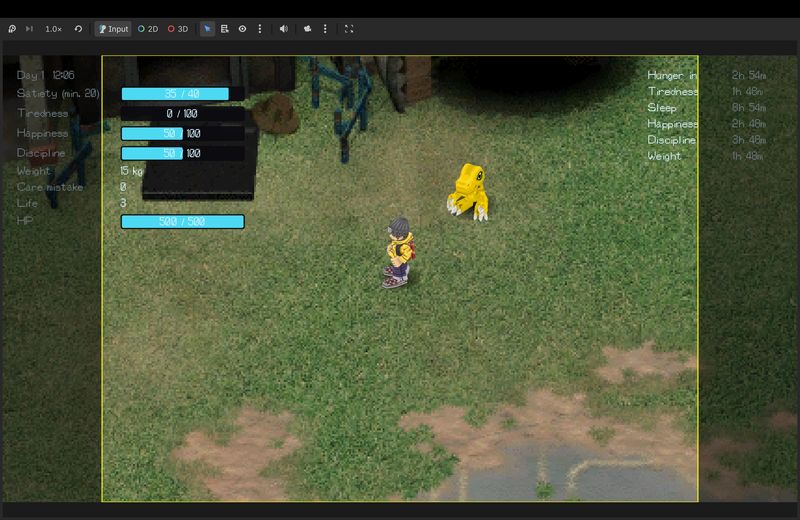
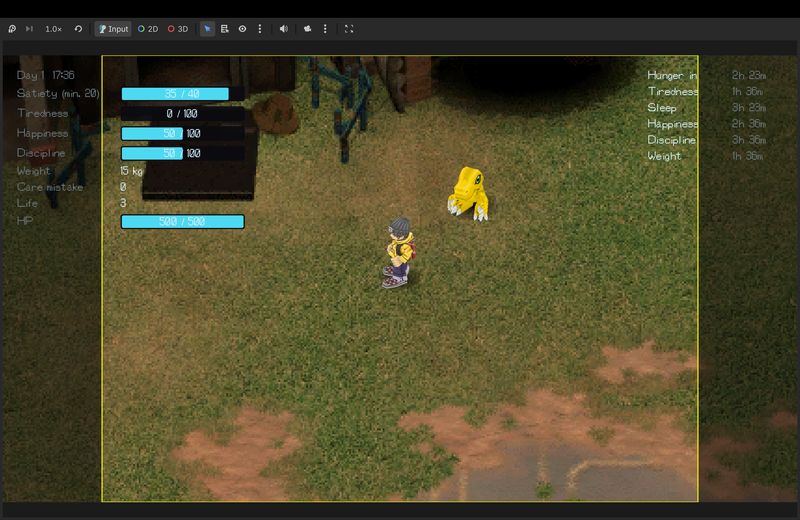
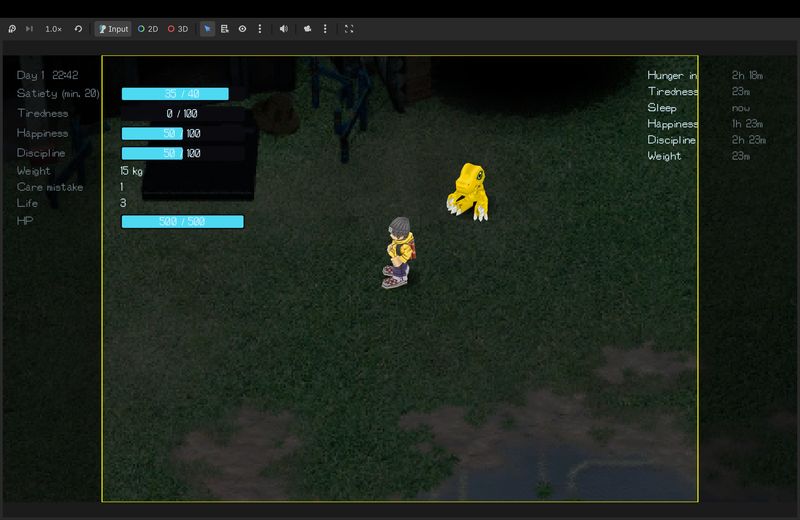
The transition takes about a real-world minute and interpolates smoothly — no hard cut. Wire it up once and it applies to everything: every map, every background, every foreground element, automatically.
The foreground problem
Some areas have trees or buildings that should appear in front of the player. File City has overhanging rooftops. The forest areas have canopy. A second image layer sounds obvious — until you remember the player is a real 3D character writing to the depth buffer, and the renderer wants to hide anything "behind" him.
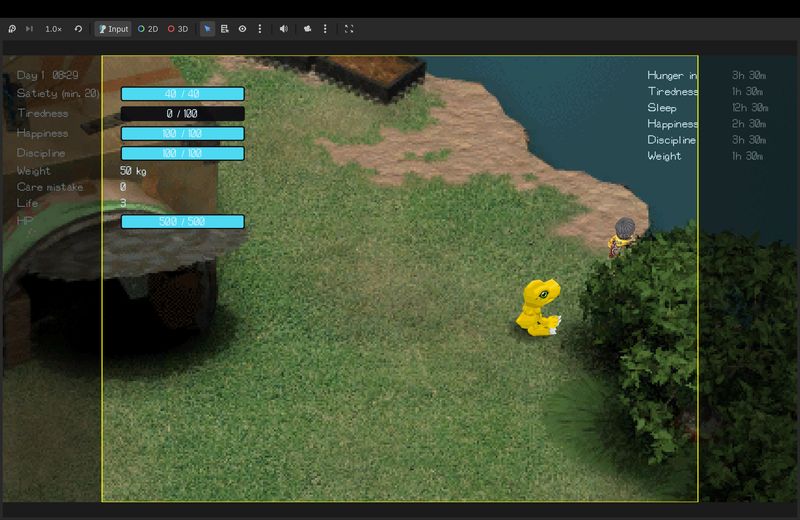
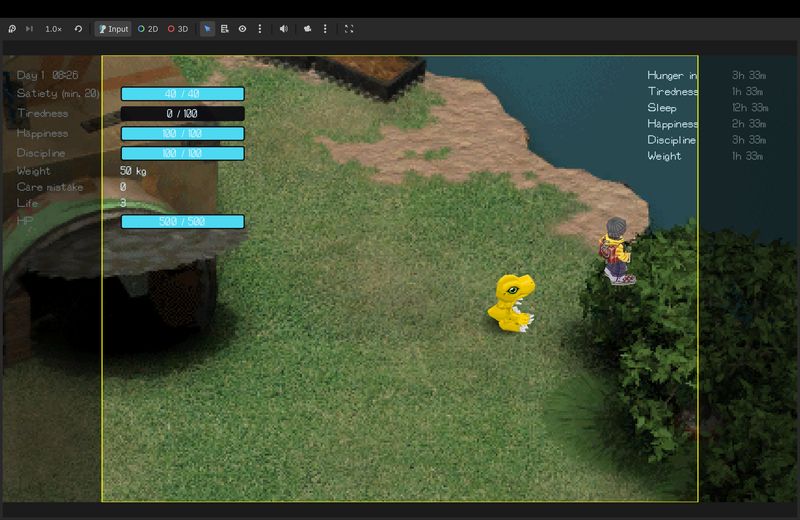
One line in the foreground shader — depth_test_disabled — skips the depth test entirely. The layer always draws on top, masked only by its own transparency. The player walks behind buildings exactly as he should.
Walking between worlds
Every map in the PS1 game connects to others through invisible trigger zones — walk into the right corner and you fade out, see the destination name on screen, and fade back in somewhere else.
The original stores these connections in its map data: which zone leads where, and which spawn point in the destination you arrive at. I extract that data automatically when generating map scenes, so each area gets its warp triggers pre-positioned at the right coordinates.
The tricky part isn't the trigger — it's the address. When the player arrives in a new map, the game needs to know where to place them. The solution ended up being pleasingly simple: each arrival point is just a named node in the scene. A warp zone in File City going to Green Gym says "send the player to the node called FromTWNA01 in that scene." Green Gym has a node with that exact name, at exactly the right position and facing direction. The name is the address.
The transition itself — fade to black, map name on screen, fade back in — is owned by a single persistent manager that sits outside every map scene. Nothing in the map knows how transitions work. It just says where to go and trusts that the handoff happens correctly.
Music that survives the map change
File City is split across two connected areas. In the original, the music doesn't stop when you cross between them.
Getting that right meant moving the audio player out of the map scenes and into a persistent service that lives across transitions. When a map loads, it checks if the right track is already playing. If it is, nothing happens. Walk from one half of File City to the other and the music doesn't notice.
None of these tricks are new — the PS1 era invented them. What I find interesting about rebuilding them is that you can't fake your way through. You have to understand why they worked in the first place.
There's still more to do: static objects like the File City waterfall need to be placed, and proper collision walls are missing — right now nothing stops the player or the Digimon from walking into areas they shouldn't reach. But the foundation is solid.